
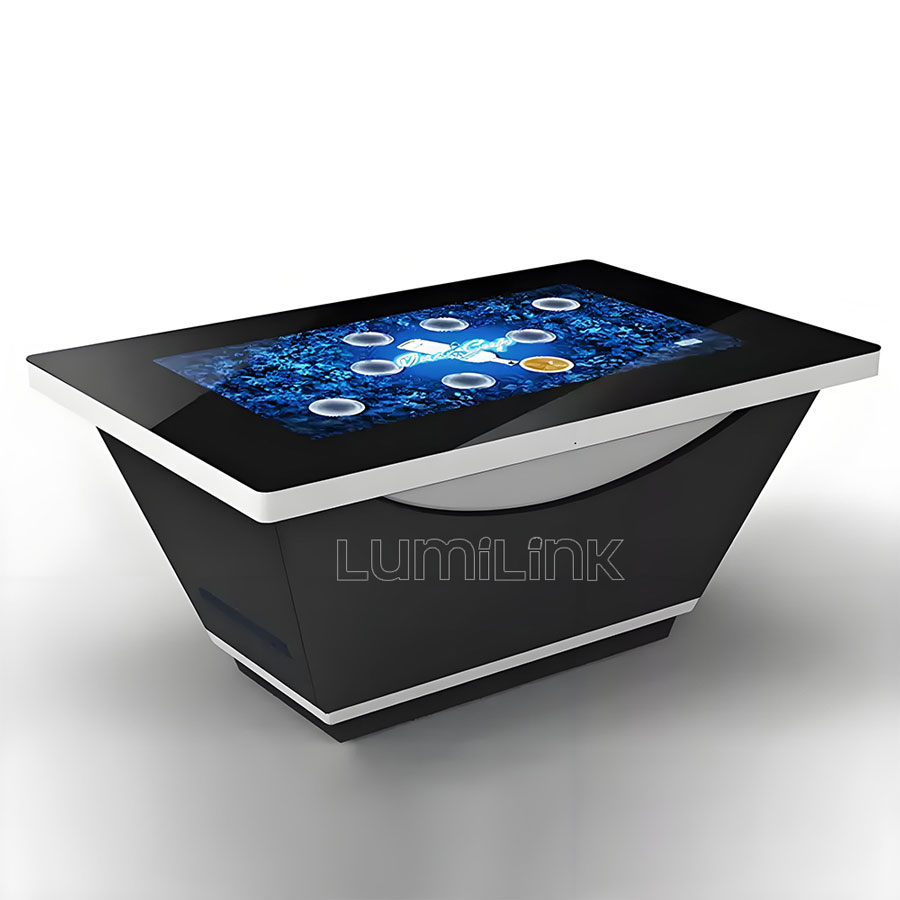
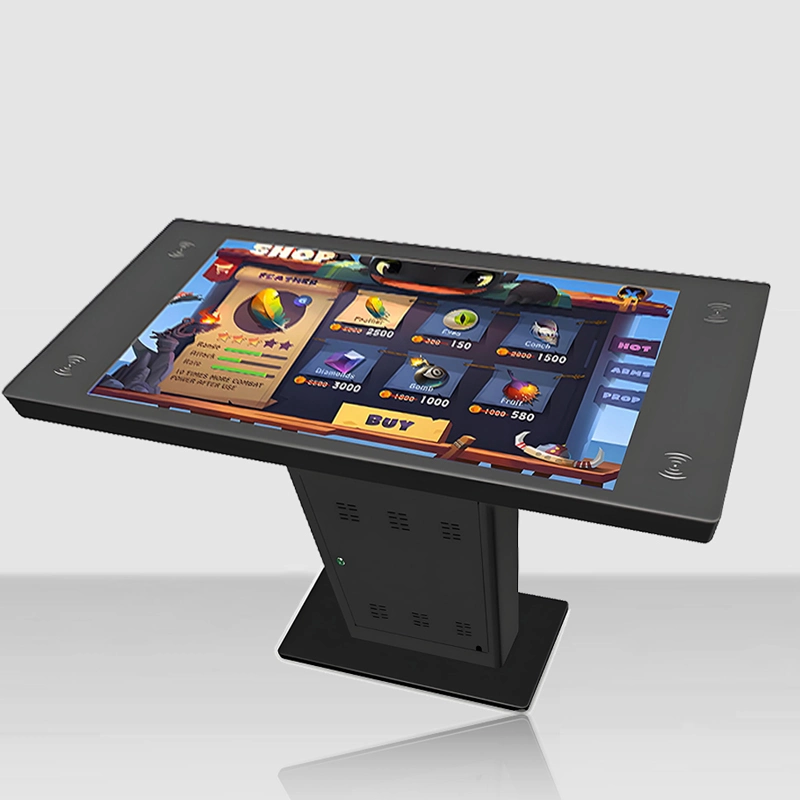
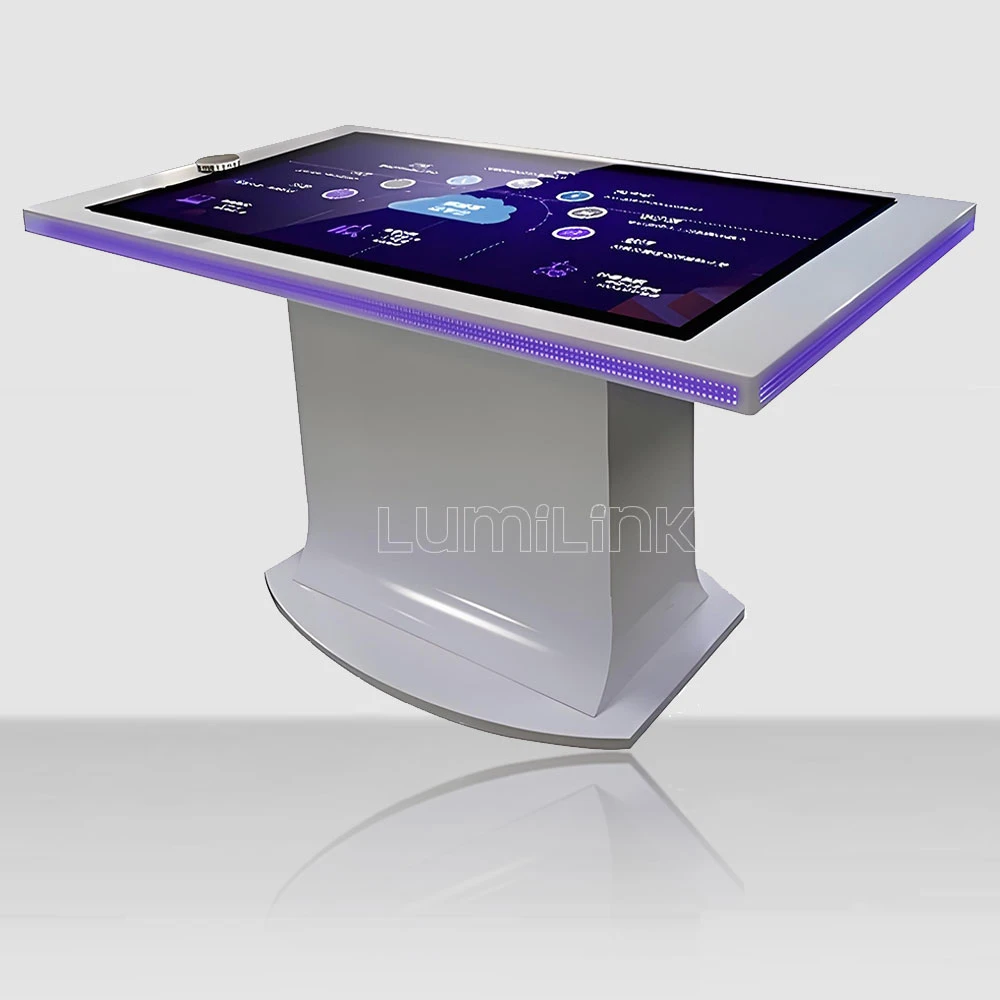

Walk into any major trade expo in 2026 and you will notice something shifting. The booths drawing the biggest crowds are no longer the ones with the loudest signage or the most giveaways. They are the ones where people have stopped walking, gathered around a glowing horizontal surface, and started touching, swiping, and talking to each other. That surface is a multi touch interactive table for exhibition hall, and it is quietly redefining what "engagement" means in exhibition environments.
This guide takes a different approach than a standard spec sheet. Instead of listing features in isolation, we walk through the real decisions that exhibition designers and integrators face when specifying interactive tables for halls, pavilions, and corporate showrooms — from choosing between PCAP and infrared touch to designing content that actually holds attention in a noisy, competitive space.
From Static Booths to Interactive Destinations
Exhibition halls are brutal environments for technology. Thousands of visitors stream through over a few days, floor lighting is harsh and inconsistent, and every exhibitor is competing for the same finite attention. In this context, a printed roll-up banner or a looping video on a vertical screen does little to make visitors slow down. The multi touch interactive table for exhibition hall works because it changes the physical dynamic: instead of asking people to look at something, it invites them to do something.
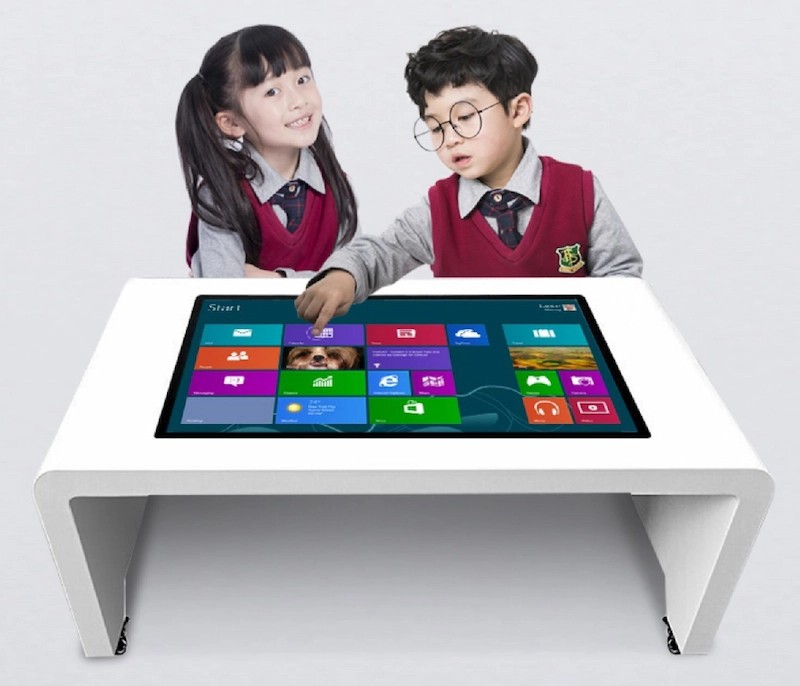
When a visitor approaches a touch table, the interaction is inherently social. Two or three people can stand around it together, pointing at different parts of the screen, discussing what they see. This collaborative dynamic is something that no vertical kiosk or tablet can replicate. In exhibition halls where the goal is to start conversations and capture leads, that social dimension is the real value proposition — not the technology itself, but the behaviour it triggers.
Exhibition integrators we have worked with report a consistent pattern: booths equipped with interactive touch tables see 30 to 45 percent longer average dwell times compared to neighbouring booths with conventional displays. More importantly, the quality of engagement changes. Visitors who spend three minutes interacting with a product configurator on a touch table are far more likely to leave contact information or schedule a follow-up meeting than those who glance at a brochure and move on.
Touch Technology: PCAP vs. Infrared for Exhibition Halls
The choice between projected capacitive (PCAP) and infrared (IR) touch technology is the single most consequential hardware decision when specifying a multi touch interactive table for exhibition hall. Each has distinct trade-offs that matter specifically in exhibition environments:
| Consideration | PCAP (Projected Capacitive) | Infrared (IR) |
|---|---|---|
| Multi-touch Points | Up to 40 simultaneous touches | Up to 10 simultaneous touches |
| Response Latency | Under 10ms — feels instant | 15-25ms — noticeable on rapid taps |
| Glove Compatibility | Works with thin gloves | Works with any material, including thick gloves |
| Dust and Debris Resistance | Sealed glass surface — ideal for dusty exhibition halls | IR bezel can trap dust, requiring regular cleaning |
| Visual Clarity | No bezel — edge-to-edge glass, premium look | Visible IR bezel around edges |
| Price Range | Higher — justified for flagship booths | More budget-friendly for multi-unit rollouts |
For most exhibition hall deployments, PCAP is the stronger choice. The sealed surface survives dust and spills, the sub-10ms latency keeps gaming-style interactions feeling responsive, and the bezel-free glass looks premium under exhibition lighting. However, if you are deploying ten or more tables across a large pavilion and budget is the primary constraint, IR remains a viable option — just plan for more frequent cleaning of the bezel channels.
Designing Content That Stops Foot Traffic
Hardware is only half the equation. The content running on your multi touch interactive table for exhibition hall determines whether visitors stop, engage, and remember your brand — or walk past after a five-second glance. Here are the principles that separate effective exhibition content from forgettable eye candy:
Lead with a visual hook. When someone is three metres away and walking, you have roughly two seconds to catch their eye. Use motion — a slowly rotating 3D model, an animated data visualisation, or a subtle pulse effect — but avoid anything that feels like a screensaver. The motion should hint at interactivity, not replace it.
Make the first interaction obvious. Once a visitor approaches, they should immediately understand what they can touch. Large, clearly labelled buttons or visual cues like "Tap to explore" reduce hesitation. If the interface requires instructions to understand, it is too complex for an exhibition environment where attention spans are measured in seconds.
Design for groups, not individuals. In an exhibition hall, people arrive in pairs or small groups. Content that only one person can interact with at a time creates a queue — and queues drive people away. Design for at least two simultaneous users, ideally four. Multi-zone layouts, where each side of the table offers independent content, let several visitors engage without interfering with each other.
Build in a lead capture moment. The touch table should not be a dead end. After a visitor has spent two or three minutes exploring your content, present a natural next step: a QR code to scan, a form to request a catalogue, or a prompt to schedule a meeting. This is where the touch table transforms from an engagement tool into a measurable lead generation asset.
Installation and Maintenance in Exhibition Environments
Exhibition halls impose physical constraints that office or retail installations do not. Floor load limits may restrict the weight of your table. Power and data cabling often need to run under raised flooring or through ceiling drops. Ambient lighting can wash out displays that look fine in a showroom. And the install-and-dismantle cycle of temporary exhibitions means your hardware needs to survive repeated transport, setup, and teardown.
Choose a multi touch interactive table for exhibition hall built with a rigid aluminium or steel chassis — not plastic. Confirm the table ships in a flight case or protective enclosure if it will travel between events. Verify that the vendor offers replacement parts and on-site support in the cities where your exhibitions take place. Lumilink tables are engineered for exactly this use case: commercial-grade construction, modular components that swap quickly, and a support network that covers major exhibition venues.
For permanent installations in corporate showrooms and brand halls, the priorities shift slightly. Thermal management becomes critical for tables running 12+ hours per day. Look for forced-air cooling systems, not passive heat sinks. Confirm the LCD panel is rated for at least 50,000 hours of continuous operation. And invest in a remote device management platform so your team can push content updates, monitor health status, and reboot units without sending a technician on site.
Choose a multi touch interactive table for exhibition hall built with a rigid aluminium or steel chassis — not plastic. Confirm the table ships in a flight case or protective enclosure if it will travel between events. Verify that the vendor offers replacement parts and on-site support in the cities where your exhibitions take place. Lumilink tables are engineered for exactly this use case: commercial-grade construction, modular components that swap quickly, and a support network that covers major exhibition venues.
For permanent installations in corporate showrooms and brand halls, the priorities shift slightly. Thermal management becomes critical for tables running 12+ hours per day. Look for forced-air cooling systems, not passive heat sinks. Confirm the LCD panel is rated for at least 50,000 hours of continuous operation. And invest in a remote device management platform so your team can push content updates, monitor health status, and reboot units without sending a technician on site.
Measuring ROI: Analytics That Exhibition Stakeholders Care About
One of the most underutilised advantages of a multi touch interactive table for exhibition hall is its ability to generate engagement data. Unlike a printed banner or a video loop, an interactive touch table records every interaction — which content zones get the most touches, how long visitors spend in each section, which paths they follow through the experience, and where they drop off. This data is invaluable for justifying the investment to stakeholders and optimising content over time.
Key metrics to track include: total interaction sessions per day (how many unique visitors engaged), average session duration (how long each visitor stayed), content zone popularity (which sections drew the most attention), and lead conversion rate (what percentage of interactions resulted in a QR code scan, form submission, or meeting request). Set benchmarks before the exhibition opens, then compare performance across events to identify trends and optimise content for each audience.
Share these analytics with your exhibition team after each event. If a particular product configurator drew 60 percent of all interactions while a brand video was largely ignored, that insight should drive the next event's content strategy. Data removes guesswork from exhibition planning and turns the touch table from a cost centre into a strategic intelligence tool.
Screen Size and Form Factor Guidance
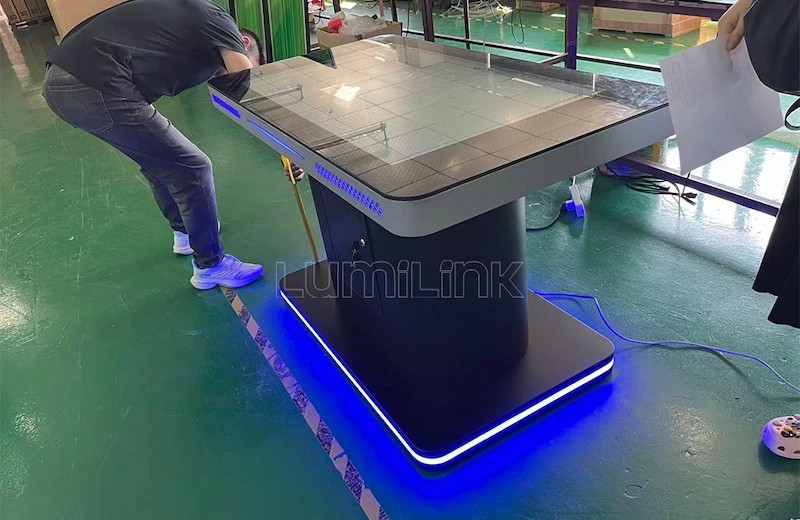
The right screen size depends on your booth footprint and expected visitor flow. A 43-inch table suits smaller booth spaces (under 20 square metres) where one-to-one or one-to-two interactions are the goal. A 55-inch table is the sweet spot for most exhibition halls, accommodating four to six simultaneous users without feeling crowded. For flagship pavilion installations, 65-inch and larger tables create a dramatic centrepiece — but verify floor load capacity and transport logistics before committing.
Orientation matters too. Flat horizontal tables work well for collaborative browsing and product exploration. Angled or tilted tables are better for presentations where a guide walks a visitor through content. Some Lumilink models offer motorised height adjustment and tilt, giving you flexibility to reconfigure the table for different exhibition scenarios without buying additional hardware.
Why Exhibition Integrators Choose Lumilink
Lumilink has supplied interactive touch tables to exhibition designers, pavilion integrators, and corporate showroom managers across multiple continents. Our tables are built from the ground up for commercial deployment: tempered glass rated to IK08 impact resistance, sealed PCAP touch surfaces that shrug off dust and spills, and industrial-grade computing hardware that handles demanding 3D visualisation and real-time content without stuttering.
We understand that exhibition projects have tight timelines and unforgiving deadlines. That is why we maintain inventory of standard configurations for rapid deployment, offer custom branding and enclosure design for flagship installations, and provide a dedicated project manager who coordinates shipping, installation, and on-site support. Whether you need a single table for a three-day expo or twenty units for a permanent brand hall, we scale to match your scope.
Plan Your Next Exhibition Installation
The multi touch interactive table for exhibition hall is not a gimmick. It is a proven engagement tool that helps exhibitors cut through the noise of a crowded hall and create memorable, measurable interactions. The right hardware, combined with thoughtful content design and reliable support, turns a booth from a passive display into an active destination.
Ready to specify touch tables for your next exhibition or showroom project? Request a Custom Quote from Lumilink. Our team will review your floor plan, visitor flow, and content goals, then recommend the ideal table configuration, screen size, and touch technology for your specific environment.